
How to Search Cases by Name
The parish route for a district-court name search runs through the clerk's paid Cott eSearch portal. A protected criminal endpoint exists there. But the search fields stay hidden until an account holder logs in. Guessing at filters behind that login wastes effort. Begin instead with the party name exactly as a notice prints it. Decide whether the case belongs in the 32nd Judicial District Court. Keep that venue distinct from Houma City Court or a ward justice court.
- Read the caption, court name, and case type on the notice or prior minute entry.
- Open eSearch, create or sign into the required account, and review the available subscription product before searching.
- Use the live case-name labels supplied after sign-in, then compare the party, case category, and date on each result.
- Open the docket or index entry and record the case number, current setting, and minute description before requesting a document.
| Visible eSearch control | Type | Required | What it establishes |
|---|---|---|---|
| User ID | Text | Yes | Account credential marked on the login page. |
| Password | Password | Yes | Case-sensitive credential; the page offers Password Reminder. |
| County selector | Dropdown | Not stated | Terrebonne is the branded jurisdiction on the visible page. |
| New Search | Button | After sign-in | Begins a logged-in search. |
| Certified Dates | Link | No | Checks category coverage before a search. |
Note: A surname match is just a lead. The court, caption, and case number must line up with the record you actually want.
Terrebonne Parish Case eSearch Login Gate
eSearch runs on paid subscriptions. It does not work as a free statewide viewer for trial courts. Its product tiers split basic docket and index access from the plans that show document images. So a docket-only subscription will not hand you a copy of a pleading, order, or judgment. The portal itself cautions users about its data. Some entries may be incomplete or not yet verified. It also points back to the clerk as the holder of the official record. Account terms prohibit automated scraping. Selected plans are generally nonrefundable.
The eSearch terms draw a line that matters for anyone reading results. An entry flagged incomplete or not verified has not finished the recording, indexing, or release process. That label is not a final outcome. A time-sensitive status may drive what happens next. Check the newest minute entry and call the responsible records department.
Before you pick a plan, visit the clerk's official eSearch login and subscription page.
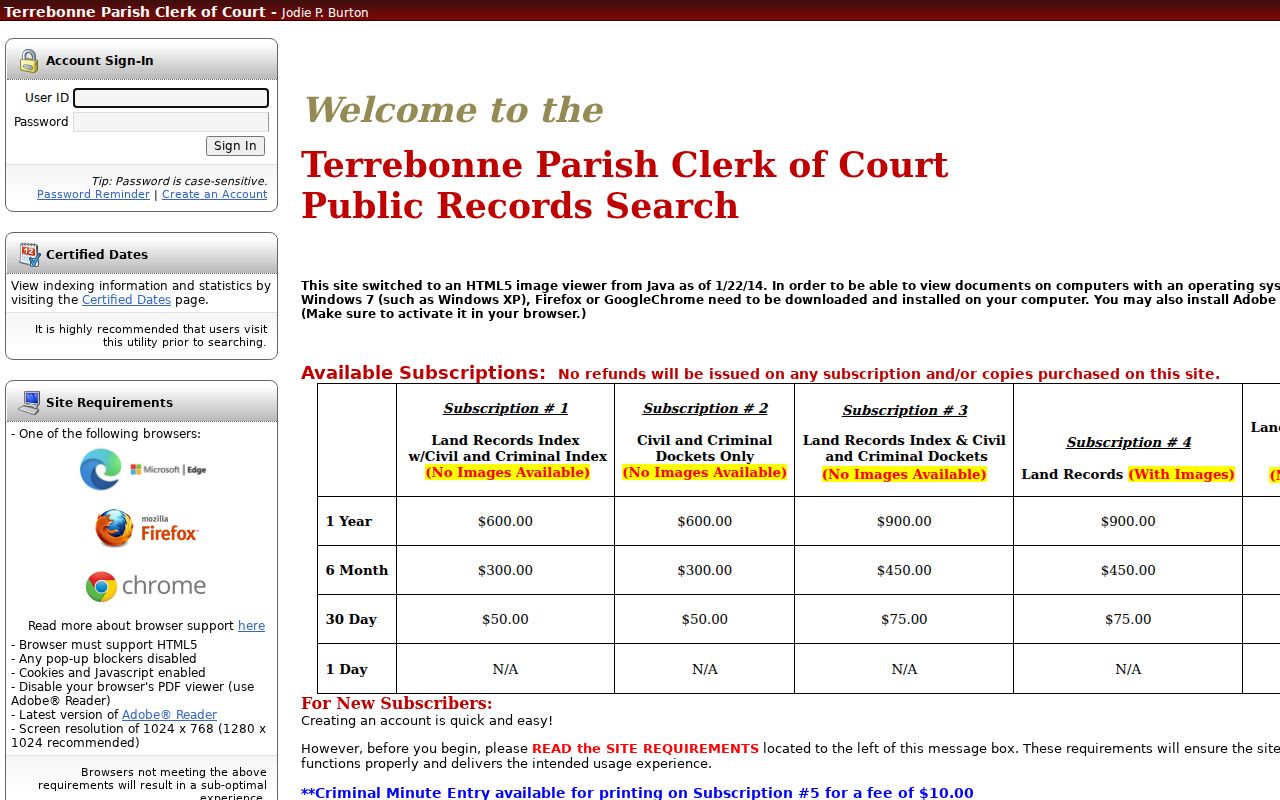
The login screen itself shows what to expect: account access is a separate step from locating a Terrebonne Parish case record.
How to Search by Case Number
A case number is the sharpest Terrebonne Parish case lookup key. Pair it with the right court and, when known, the 32nd JDC division. Copy it exactly from the citation, filing, minute entry, notice, or a prior docket result. Keep every punctuation mark. Never swap an unfamiliar character for a guessed case-type code. And do not infer an official format where the clerk publishes none. The public form sits behind the login. So treat the label CASE NUMBER AS PRINTED as your copy standard rather than a local pattern you invented.
When a number returns nothing, confirm the court level first. Houma City Court and ward justice offices keep their own limited-jurisdiction records. A city citation number will not work as a parish name-search key.
Terrebonne Parish Case Search Coverage
The clerk's Certified Dates utility is the local coverage check for a Terrebonne Parish docket search. Civil records run from July 1, 1990. Criminal Cases start September 6, 1994. Older categories carry their own starting dates, including divorces, successions, and wills. Displayed end dates lag. So treat the index as a guide rather than real-time proof that a new filing has posted.
For an older civil or criminal matter, check the coverage screen first. If your date falls outside a category's range, ask Civil Records, Criminal Records, or Archives to search by case number, caption, category, and filing date. A missing online result can mean a coverage limit, a restriction, or a venue mismatch. It does not prove the case never existed.
The clerk's Certified Dates display posts the current start and end dates for each record category. Consult it before relying on a no-result search.
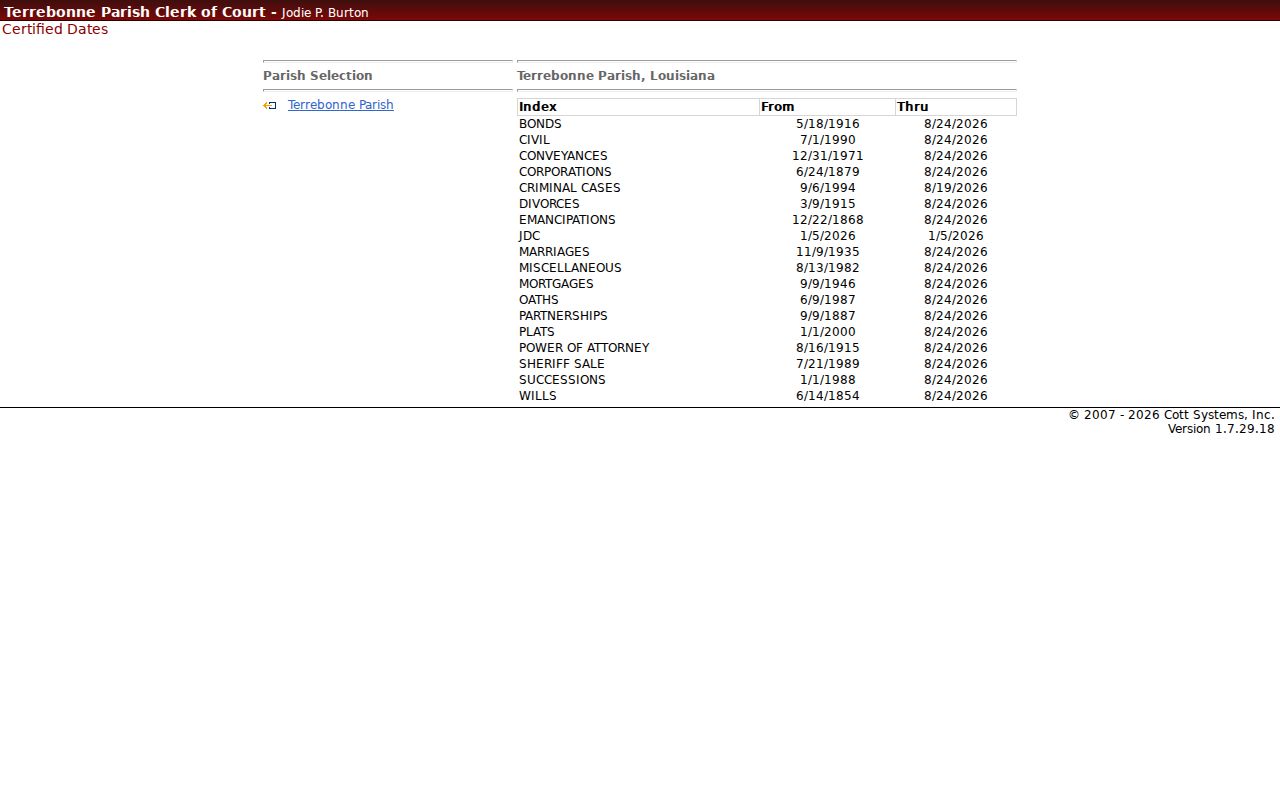
Date ranges vary by case category in Terrebonne Parish. Knowing those ranges tells you whether an online case search will work or whether the request belongs with the clerk or an archive.
What a Case Search Shows
A Terrebonne Parish case search result is a navigation record. It is not the full case file by default. The clerk's own vocabulary spans civil and criminal dockets, minutes, minute entries, court calendars, records, and cases. A useful result does two things: it identifies the case and points to its history. How much detail you see depends on the court, the subscription, and the record's public status.
| Case number | The court-assigned identifier used with the venue and division to find the case. |
|---|---|
| Caption or parties | The case style, such as the civil parties or the State and accused in a criminal matter. |
| Case category | The civil, criminal, probate, family, or other record category that directs the search route. |
| Filed or index date | The filing date and the separate date the record was indexed, which may differ. |
| Minute or event history | Chronological entries for filings, settings, motions, pleas, rulings, and disposition when entered. |
| Document availability | A docket link or image option subject to the subscription and any public-access restriction. |
Terrebonne Parish Case Docket Index Layers
Three local record layers should stay separate in your mind. The docket or index is the chronological map of filings, minutes, and settings. A filed document is the petition, motion, order, judgment, transcript, exhibit, or return held in the file. A certified copy is a clerk-authenticated reproduction of it. An image on a paid screen does not become the official record just because you can view it online.
A minute entry condenses what occurred in court, but it is not a verbatim transcript. The Terrebonne Parish Clerk's minute clerks prepare minutes for civil, criminal, and juvenile proceedings. Court reporters handle transcripts through the appropriate court route. If an entry contains a deadline or a current setting, confirm it with the court rather than trusting an older portal refresh. The official terms page spells out the subscription and data-status limits. Those limits separate a docket index from the record beneath it.
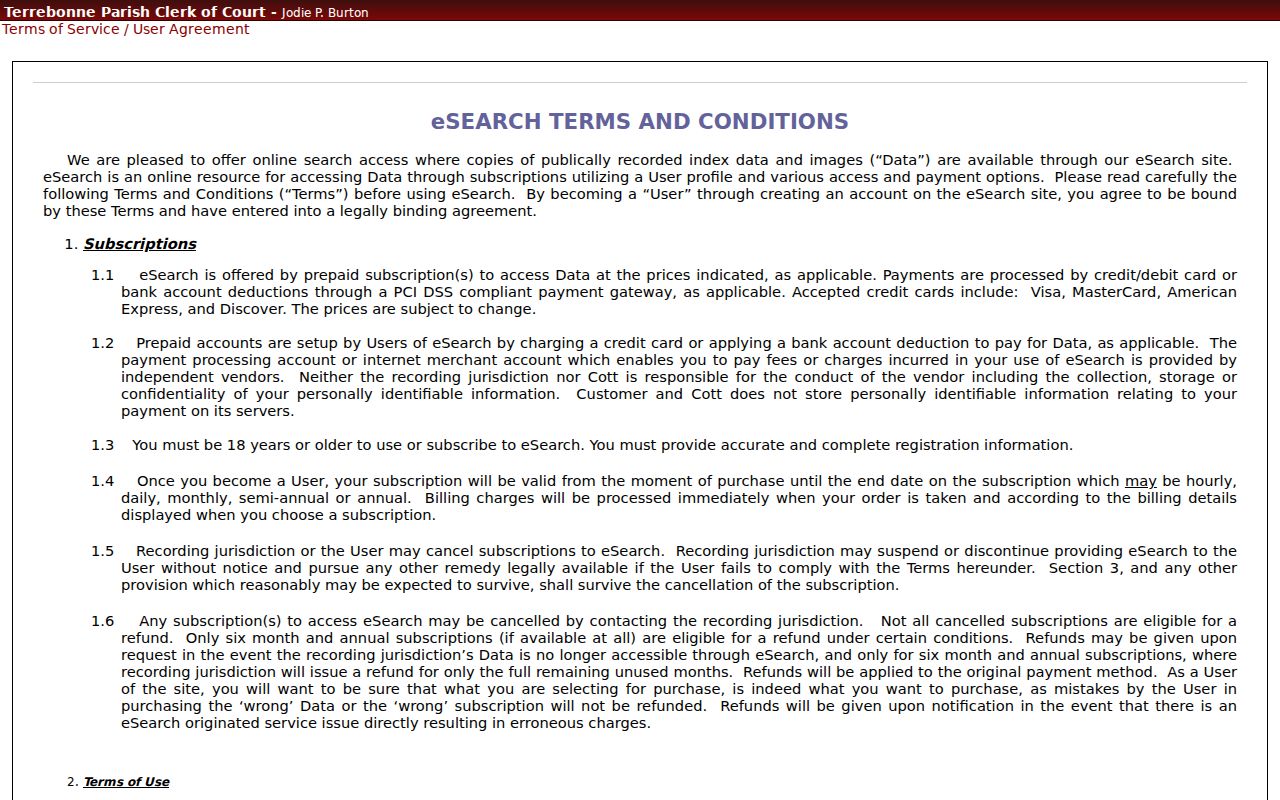
A terms screen stands between you and the records. Before treating any Terrebonne Parish case lookup result as final, confirm the entry with the clerk when the underlying document actually matters.
County vs Statewide Case Search
Louisiana offers no single free statewide docket search covering a full 32nd JDC case history. So plan on two routes. Terrebonne eSearch stays the detailed parish option for subscribed civil and criminal docket access. eClerksLA works differently: it is a gateway run through the Louisiana Clerks of Court Remote Access Authority, pooling indexes from participating clerks. It helps with civil index discovery. But it stops short of a unified criminal-minute sheet or a complete district-court register.
| eClerksLA statewide gateway | Terrebonne Cott eSearch |
|---|---|
| Participating-parish index discovery, including civil-related document sets. | Parish civil and criminal docket/index products after account access. |
| Name, date-range, document-set, and parish-oriented search fields in the public guide. | Login gate, subscription choices, Certified Dates utility, and local docket route. |
| Best for checking whether a participating clerk index may contain a civil filing. | Best for a known Terrebonne Parish district-court case and its local docket path. |
Note: A match in a statewide index is only a lead. Treat it as a complete Terrebonne Parish case history only after a check with the parish clerk or the court itself.
Terrebonne Parish Case eClerksLA Index
The LCRAA overview explains a secure remote-access arrangement. Participating parish clerks use it to share their record indexes. On the eClerksLA statewide form, you search by last name or entity name, with an optional first name, a match mode, date options, and document-set choices. Results come back by parish. Each result row shows date, document set, type, number, parties, description, and parish. Read those columns as index clues only. They do not promise an image, a minute entry, or an active 32nd JDC setting.
Reach for the gateway when a civil index question crosses parish lines. The detailed case register, record images, and certified copies still come from the Terrebonne clerk. One more boundary exists. The Louisiana Supreme Court's filing system is attorney-only, so it is no substitute for a public Terrebonne case search. The eClerksLA gateway itself is the statewide starting page. Its official screen displays the participating clerk indexes you can search from there.
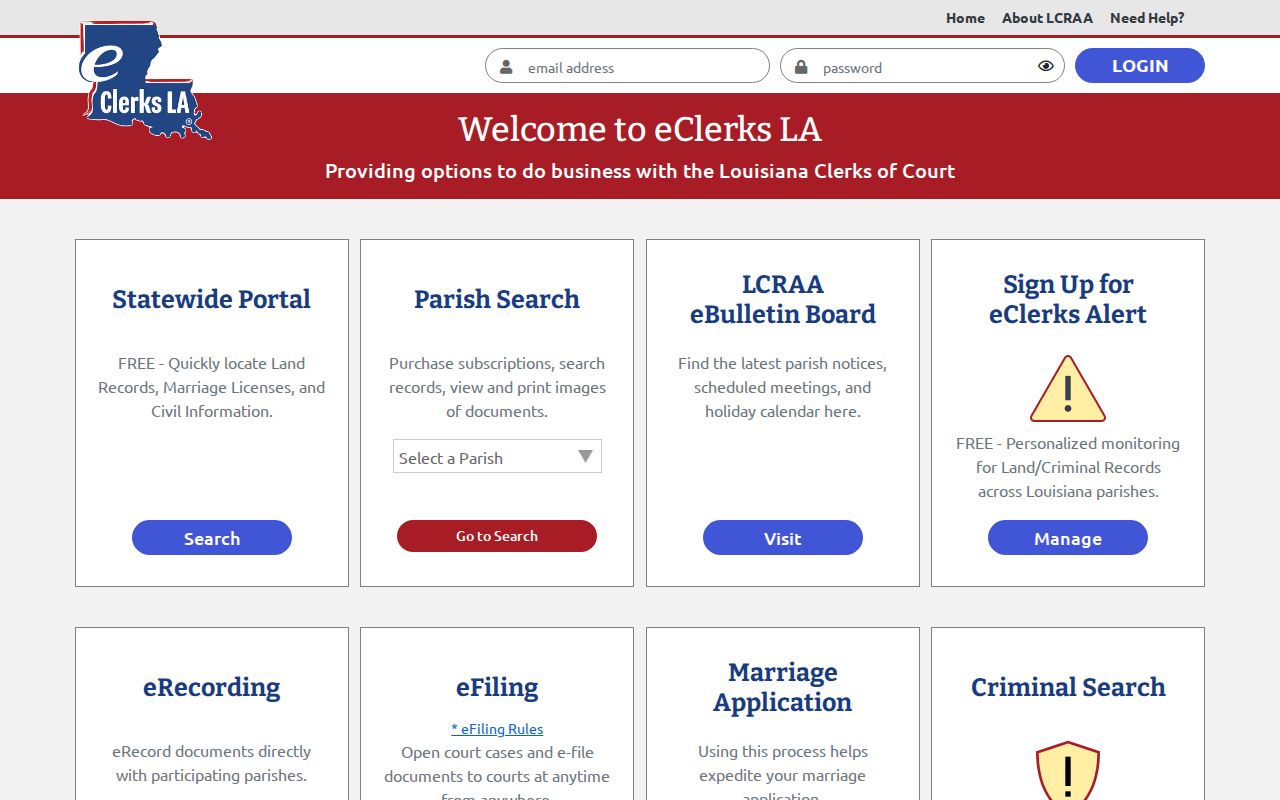
The statewide gateway complements, but does not replace, the Terrebonne Parish court docket route.
Restricted Cases and Access Rules
Most Terrebonne Parish case records can be inspected or requested by the public. Restricted cases are the exception. Juvenile proceedings stay confidential under Louisiana Children's Code Article 412. Only the statutory paths it allows are excepted. An expunged arrest or conviction record is likewise confidential. The authority is Code of Criminal Procedure Article 973. Protected family material and sealed filings can narrow the document view. A case-level event may still exist in the court docket.
Search by the case number and venue you know. Then ask the responsible clerk what authorization, order, or other documentation applies. A standard public-record request cannot override a seal or a juvenile confidentiality rule. An absent online entry never proves the case was never filed.
Terrebonne Parish Case Search No-Result Path
A blank eSearch result is not the end of the road. First re-check the court level, spelling, filing date, category, and case number. Broaden the name search only after that. The 32nd JDC, Houma City Court, and the ward justice courts each keep their own records. That split matters in practice. A Houma traffic case may run through the city court's citation route. An older district-court matter may need Archives. It may also need an in-person clerk search.
For a copy or an archive check, give the Terrebonne Parish Clerk the case number if you have one. Also include the caption or party names, court or division, date range, the document sought, and whether you need certification. The clerk accepts written public-record requests by email or mail. No universal turnaround promise exists. Ask for an estimated completion date, and confirm whether a restricted item needs further authorization.